If you missed the earlier announcement, Limina Library is the free companion to Limina Mix. It scans your local Music for Breathwork collection, synchronises it with the Music for Breathwork catalogue, and gives you access to the full set of catalogue tags for your own music. Pro users can also import Music for Breathwork playlists directly into the app.
Until now, Limina Library has mainly been about organising and understanding your music collection. With this release, it becomes something more active.
Why I built Session Mode
Over the last few years, one thing I’ve noticed in conversations with psychedelic therapists is that many of them don’t really work from rigid playlists.
They usually have a broad sense of the arc they want to create, but the actual session rarely follows a fixed plan. A participant may need more time in a particular place. The emotional tone can shift unexpectedly. A track might open something that naturally leads to another piece with a similar quality.
In that context, a traditional playlist can feel a bit static. Session Mode was designed to change the way you work.
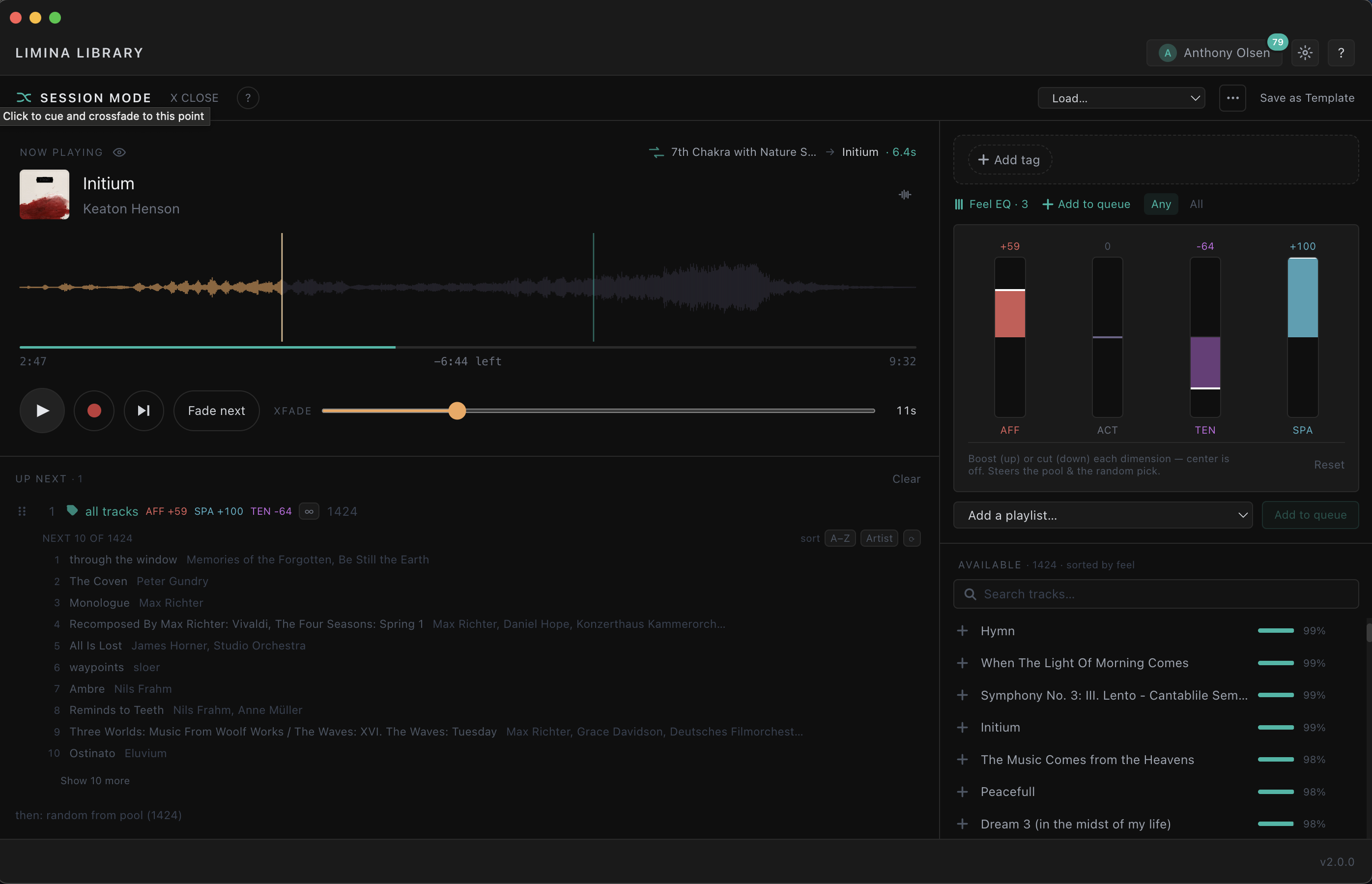
Instead of locking everything in ahead of time, you create a framework using tags, playlists, or individual tracks, and Session Mode builds a continuous mix from your own Music for Breathwork library as the session unfolds.
You stay in control throughout. You can add direction, adjust the emotional tone, or shift course without breaking the flow of the music.
What Session Mode adds in practice
Rather than listing every feature, it’s probably clearer to focus on what actually changes in use.
1. Continuous mixing with musical intent
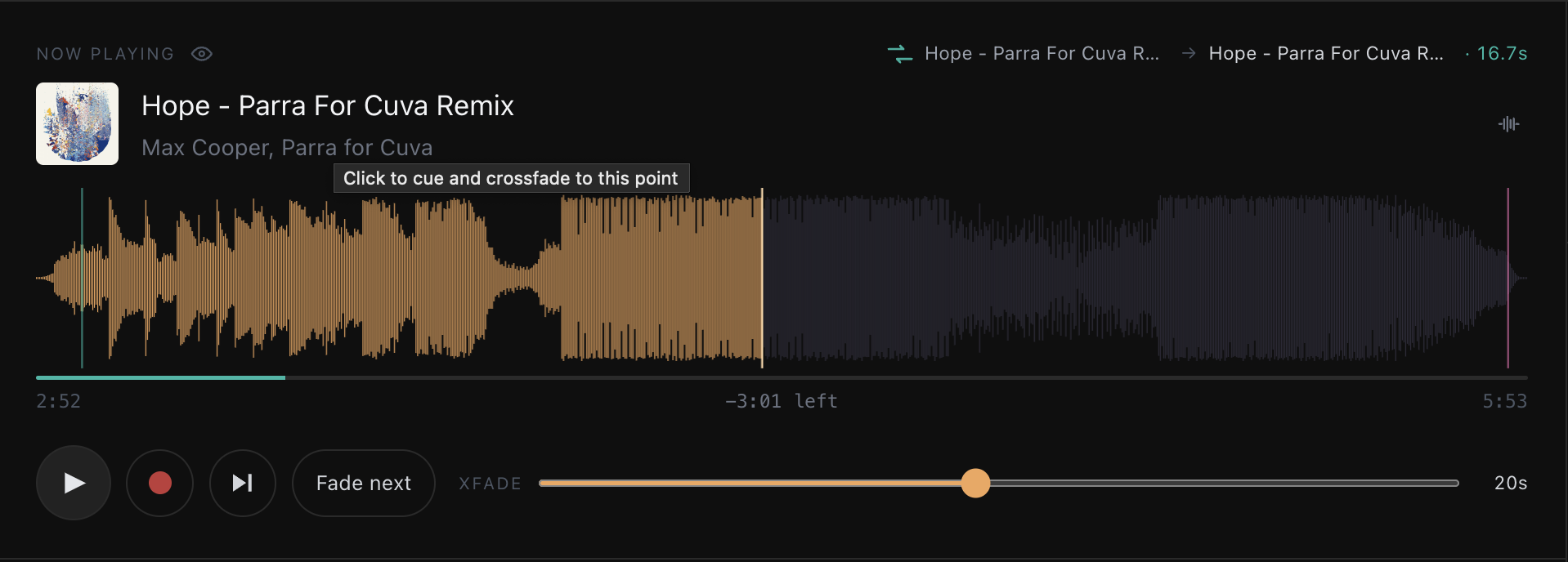
Session Mode doesn’t just fade one track into another on a timer.
It uses cue points and musical structure to find more natural transition moments between tracks. In practice, this creates a continuous flow that feels more intentional and less mechanically “DJ-like”, even when the underlying process is automated.
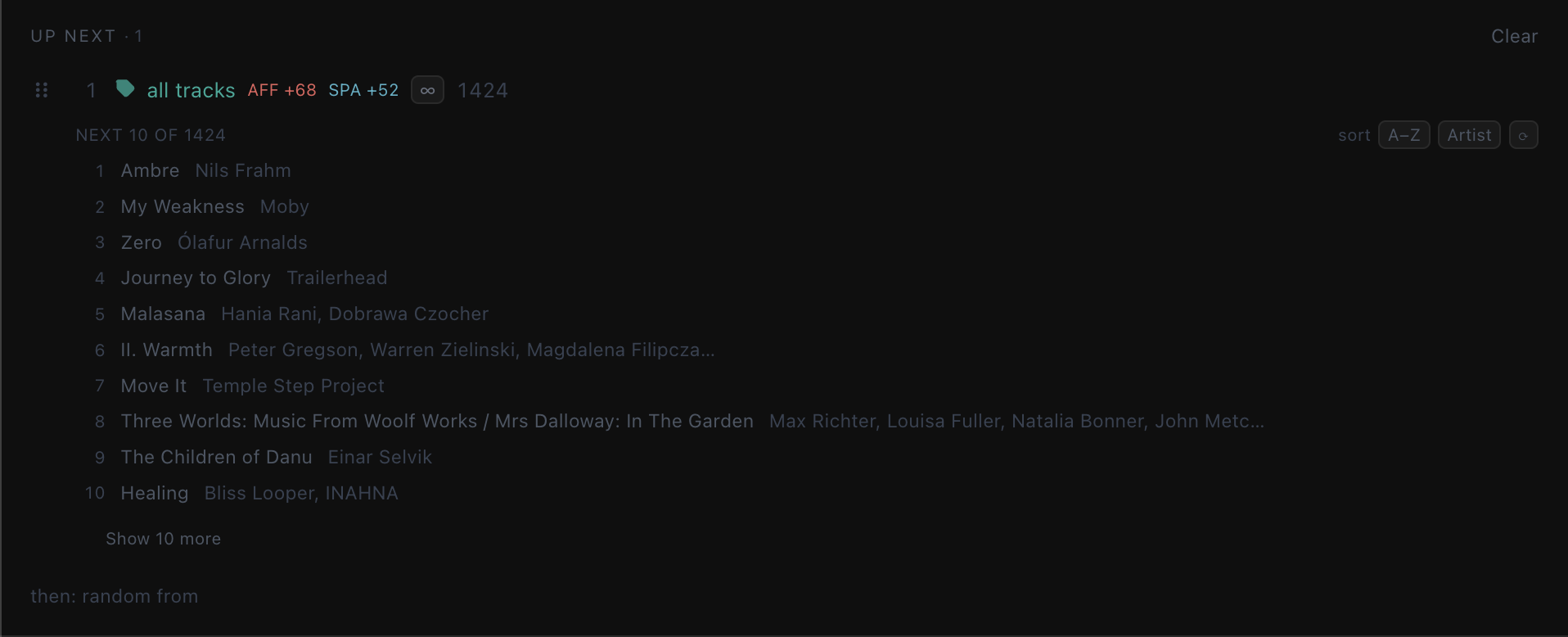
It’s still simple to use, but the transitions are designed to sit closer to how facilitators already think about pacing and arc.
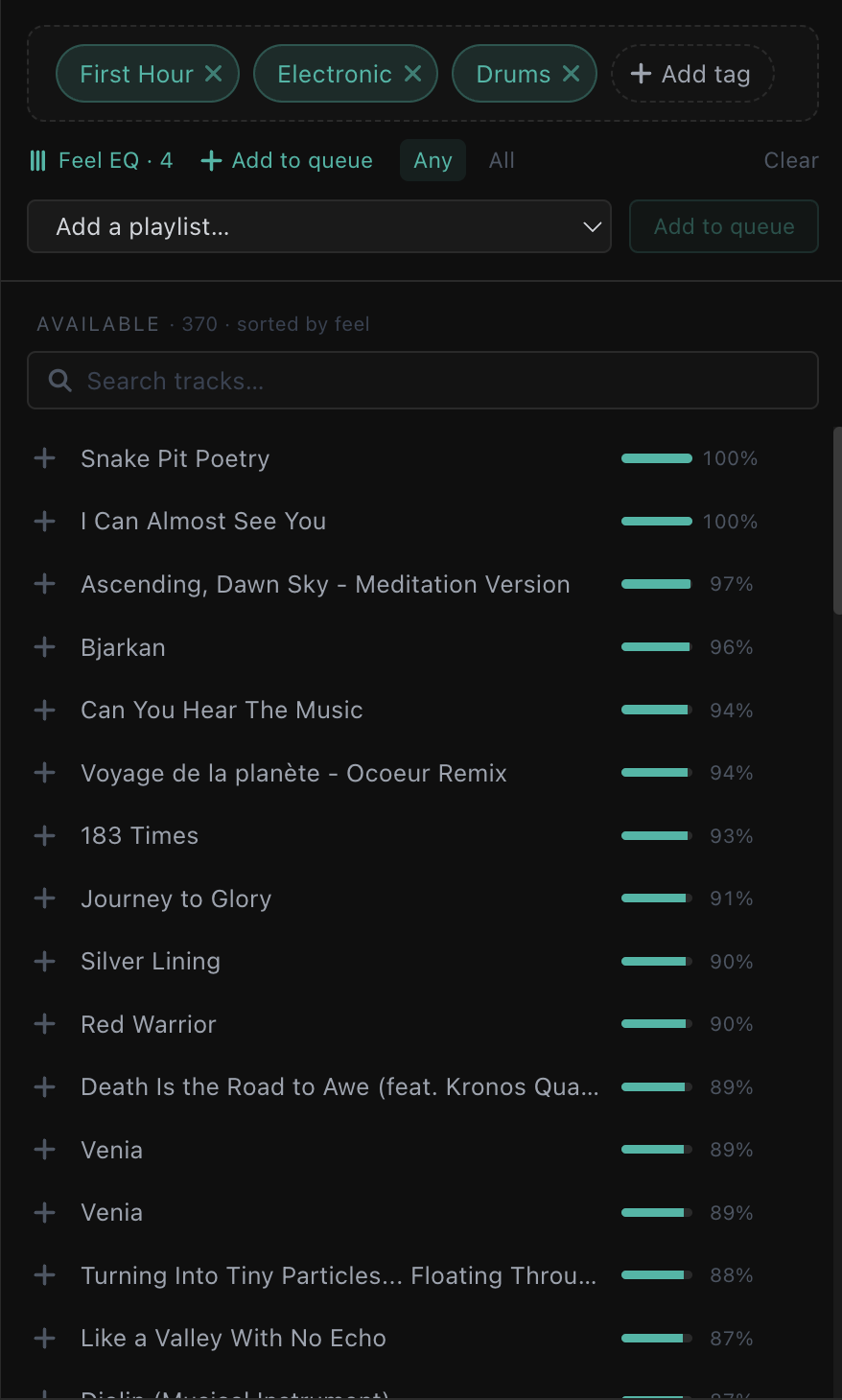
2. Tag-based selection and Feel EQ
This is probably the most distinctive part of the system.
Instead of searching for individual tracks, you can use your library tags (synced with Music for Breathwork) or use the Feel Eq which allows you to adjust the Activating intensity, Affective Intensity, Tension and Spaciousness of a track.
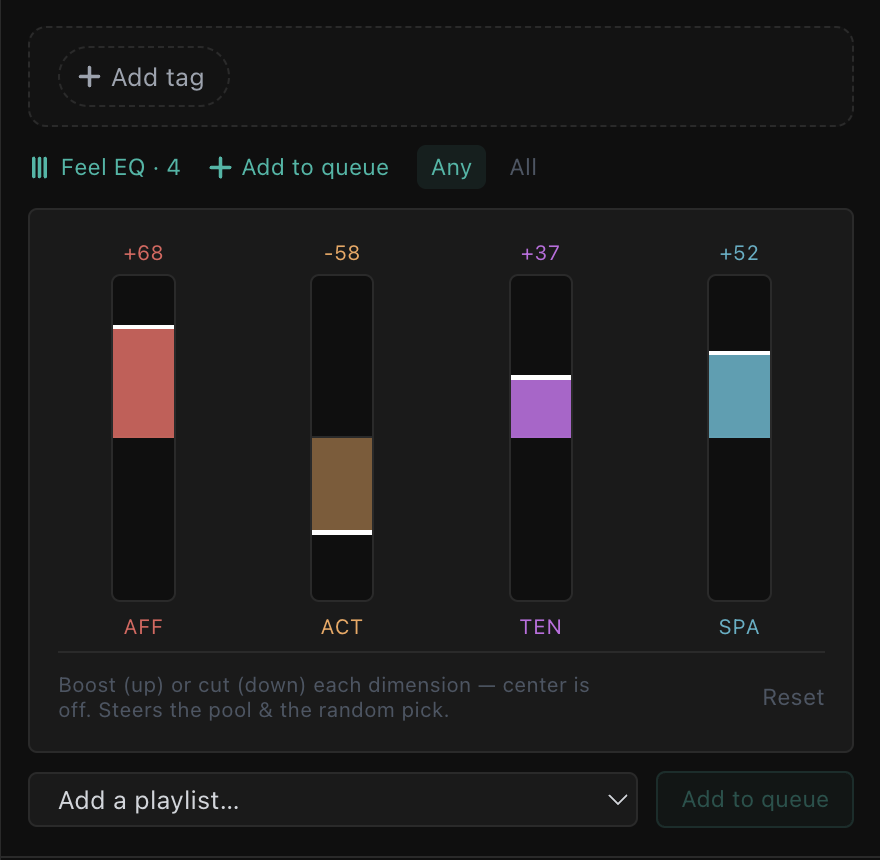
From there, Feel EQ gives you a way to gently steer the emotional character of the session in real time. You’re not rebuilding queues or interrupting flow - you’re shaping direction as things unfold.
It’s less about building a playlist and more about guiding a living selection.
3. Recording what actually happened
This feature tends to make more sense once you see it in practice.
When you run a session in Session Mode, you can record exactly what occurred—not just the tracks, but the timing of transitions and any changes you made along the way.
That means you can later:
- replay the session exactly as it unfolded
- export the final track sequence
- or use it as a foundation for future work
For therapists, that can be a practical way of building a repertoire of sessions that are based on lived experience rather than pre-planned structure.
4. Templates for flexible structures
Templates sit somewhere between playlists and recordings.
They let you define a session framework—an intended shape or approach—without locking in specific tracks.
So you might have a preferred structure for a certain kind of journey, but still allow the music itself to vary each time depending on what feels appropriate from your library in that moment.
It’s a way of separating intention from execution.
A note for Holotropic breathwork facilitators
If you are a Holotropic Breathwork facilitator you will already know that we don't "curate" the playlist in the room. Session Mode may still be useful for you though as it is a curation tool / playlist generator from your locally owned tracks.
I was able to create a very usable breathwork playlist just by putting together the template / skeleton from Session mode. It's also very helpful just as a discovery tool helping to surface tracks that may have been forgotten about in your library.
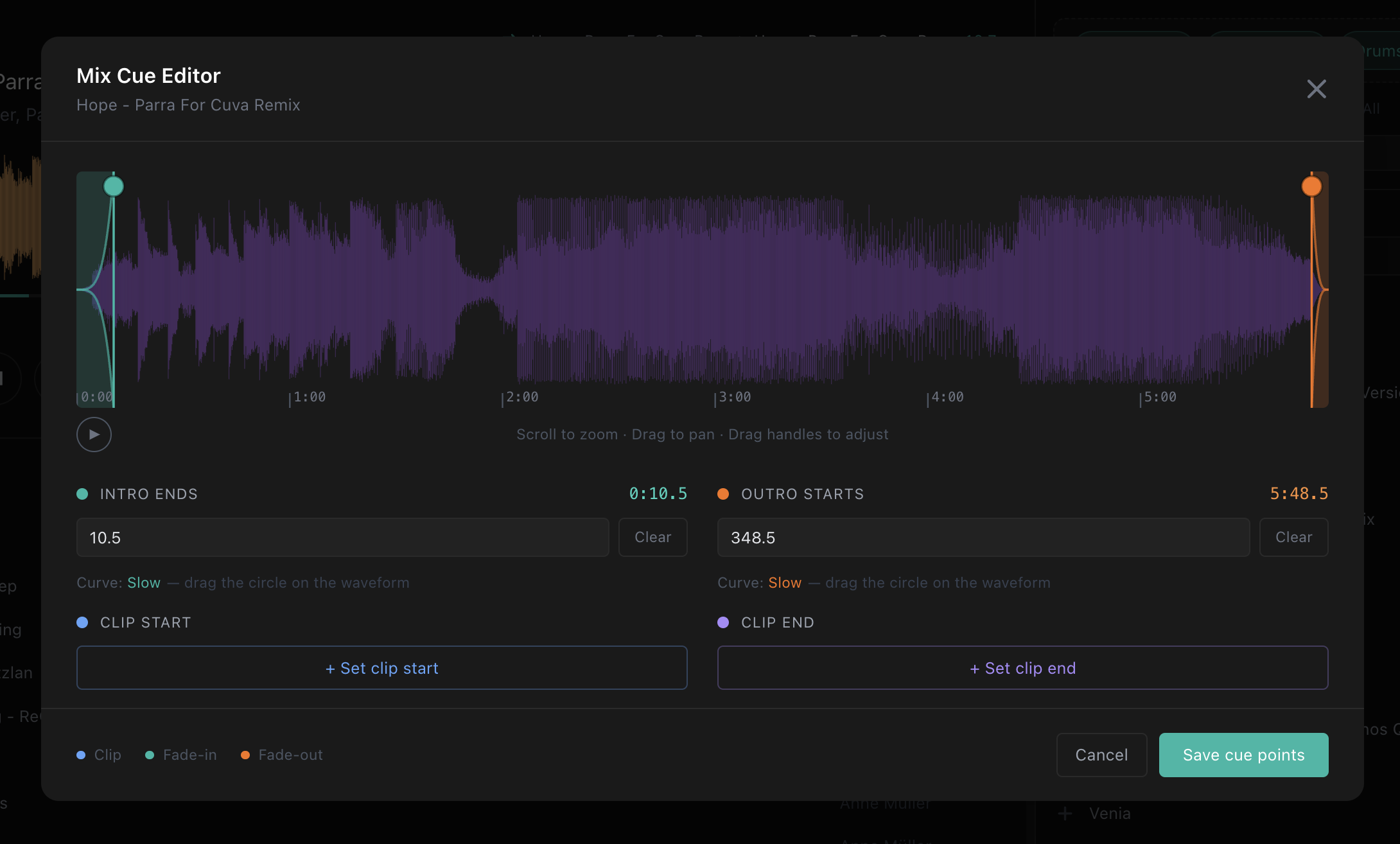
And also for facilitators who occasionally work more intuitively, it also offers a way to build less rigid frameworks without losing coherence.
Closing thoughts
Session Mode is probably the most significant addition to Limina Library since its release.
It shifts the app from something that helps you organise your music into something you can actually facilitate with.
Whether you’re working in psychedelic therapy, breathwork, or other expanded-state settings, the aim is the same: to reduce the friction between intention and execution, so you can stay focused on the person in front of you rather than the mechanics of the music.
And underneath all of it, the core idea hasn’t changed:
Session Mode works entirely with your own Music for Breathwork collection.
No replacement of your library. No abstraction away from it. Just a different way of working with what you already have.